The Story
Xbox may have lost the current generation console war to PlayStation. But Microsoft owns the most prevalent platform for gamers: Windows. For both the size of its user base, and its dominance in high-end and competitive gaming. Xbox, or Windows Gaming, is dying to get a bite of that much larger pie. We want PC gamers to buy games from the Windows Store, and play on Xbox Live.
Windows 10 came with support for game streaming. If you own an Xbox on the same network, you can already use it from any PC. Naturally, there comes the idea to push it further: what if the PC is the Xbox? What if the game is being streamed from the cloud? What if I can get the same gaming experience any time, anywhere, on any Windows device? One scenario is about a college student who can only afford one high-quality device. He uses his laptop for study as well as gaming. Another tells of a traveling business woman. She casts her tablet to the hotel TV and joins her nightly raid squad.
One of the experience gaps here is that Windows does not have a system level “10-foot” story. This was how Continuum XL started.
Making Sense
When I came on board, an incubation team had already introduced their solution: when a controller is plugged in, Windows desktop disappears and the Xbox dashboard shows up. There are two questions that they face whenever they present:
- Why would Xbox give up the hardware ownership to make its own competition?
- How is this different from Windows Media Center (Windows’ biggest failed living room venture)?
There was a lot of confusion and struggle among the people who worked on this project. After lengthy discussions I suggested that instead of a single mode switch (Windows vs Xbox), the problem space really concerned three:
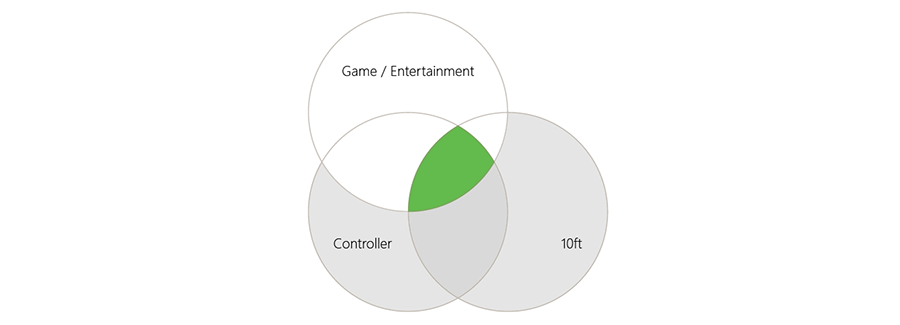
- Productivity vs Gaming: from multitasking & content exchange to a content-forward, distraction-free, resource-intensive experience. System needs to allocate dedicated resource, on an architectural level, to guarantee the performance of a game.
- Keyboard/Mouse vs Controller: from free form to discrete & linear interaction.
- 2ft vs 10ft: change of UI sizing and information density.
Gaming covers all input modalities, and a TV is definitely not necessary. The Xbox dashboard only covers where all three overlap. If we bring the Xbox UI to Windows as-is, we will miss big opportunities. I declared my mission to be designing a consistent yet adaptive gaming experience across all user context and input modalities.
Patrick’s Answer
During the summer 2015 Continuum XL was made the challenge for our team’s UX design intern, Patrick Little. I worked as the lead of the track and Patrick’s mentor.
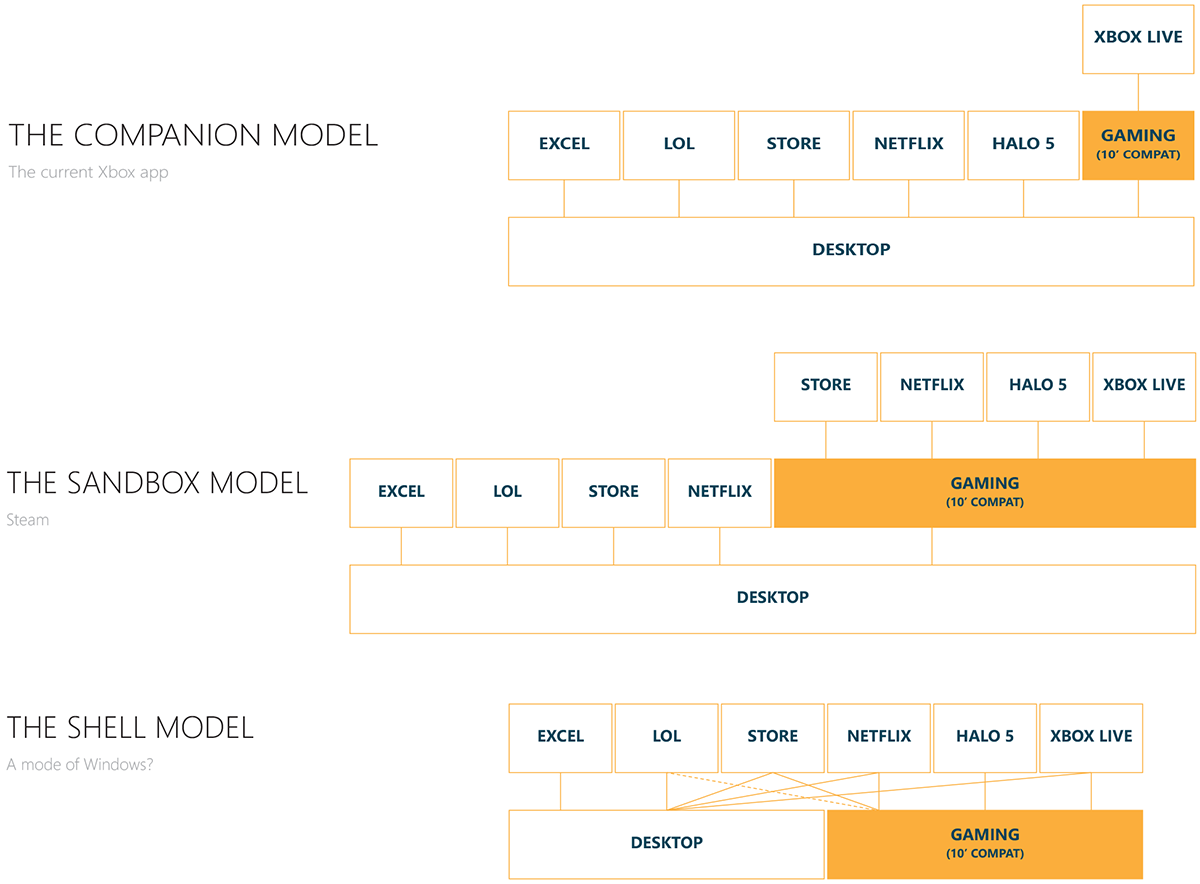
As we started storyboarding, we identified three possible directions for the implementation.
- The companion model: an app launches side by side with other games and apps to provide controller-enabled Xbox Live access. It does not have knowledge over how other apps are run. This is the way the Xbox app currently works on Windows. We felt that this model did not grant us enough control to the overall experience.
- The sandbox model: the user is entered into a “shell inside of a shell”. Compatible apps and games need to be launched within, and do not pass the boundary. The user quits this shell when they’re done. This is Steam’s Big Picture Mode. We did not like the inconsistency of UI between the two modes, the excessive work to create two sets of task switching, notification center and other system features, nor that the user had to be conscious about what mode they are in before they launch an app.
- The shell model: Xbox Live integrates with the Windows shell. As the user switches mode, the OS transforms itself and notifies all running apps.
We moved forward with the shell model and mocked up a controller-enabled Windows - using the task bar as the signature UI. If the user presses the Xenon button, a controller version of the task bar appears. If the user moves the cursor to the bottom of the screen, a keyboard/mouse version of the task bar appears. The “mode switch” is implicitly accomplished by enaging in one input modality or another.
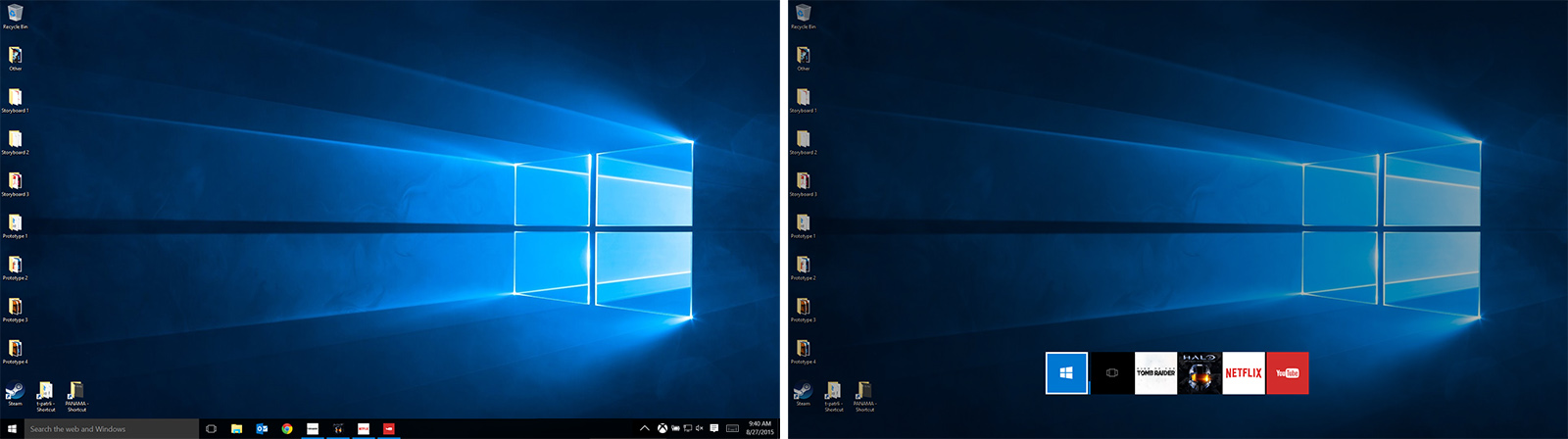
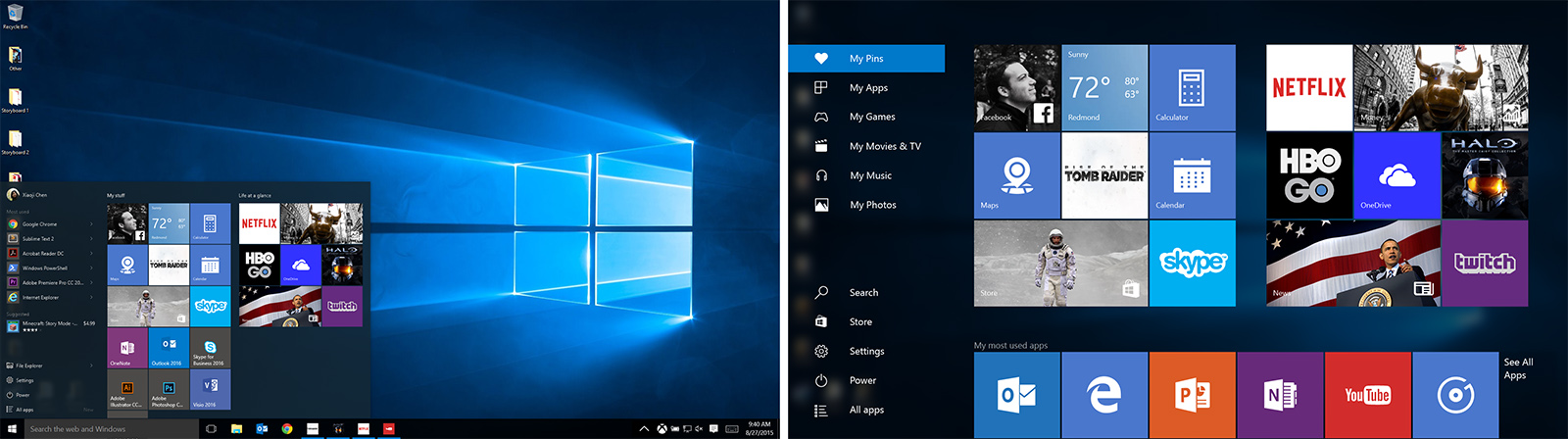
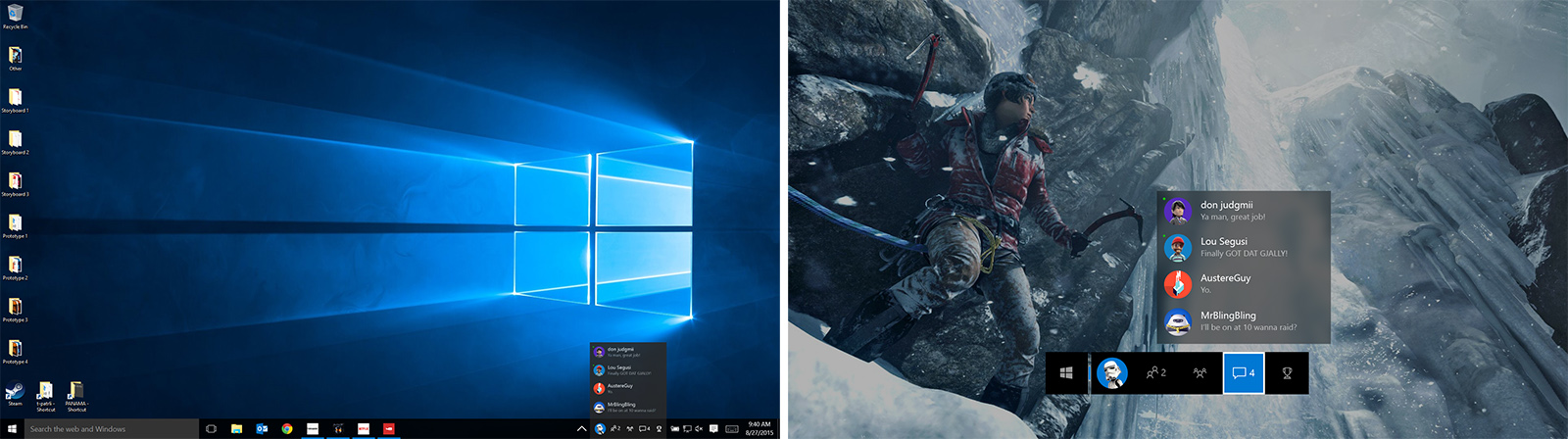
I built a prototype to demonstrate the interaction. The prototype runs in an overlay above the Windows desktop. I implemented the functionalities of launching, task switching, notifications, windows management, etc. It employed a great number of hacks with Win32 API and simulated keyboard shortcuts. It was one of the most complex prototypes I had done, mostly because I wanted it to feel realistic by controlling the actual desktop.
Journey On
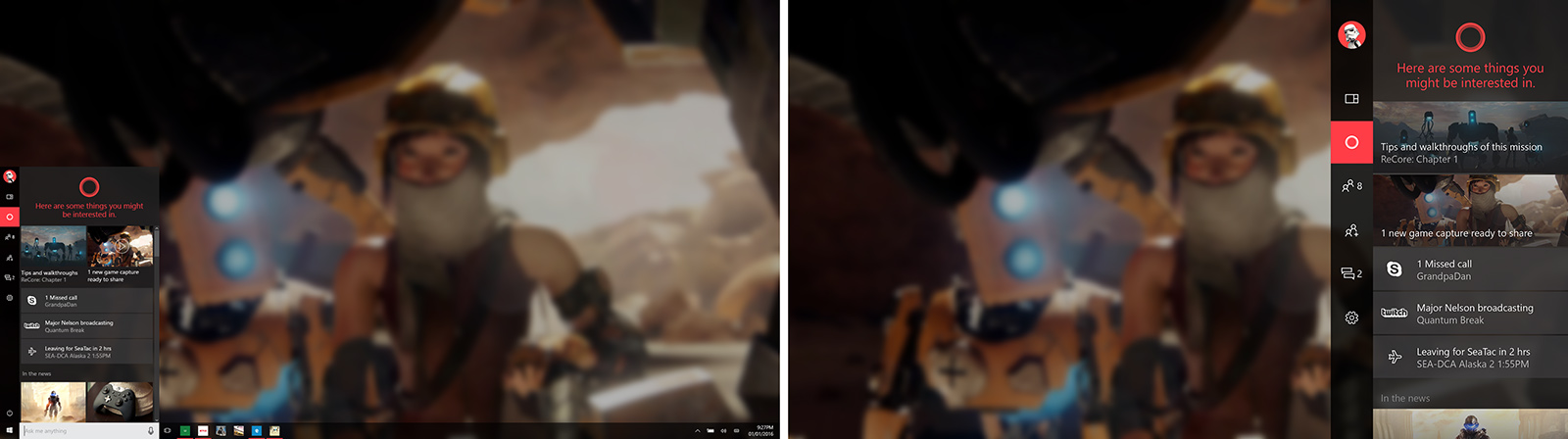
One of the criticism of the above design was that it deviated from the design patterns of both Windows and Xbox. Some of our effort is around how we find connection between the two shell’s UI, and whether we can bring them closer together.
This is an ongoing exploration. I’m working closely with designers from the Windows team to explore a spectrum of ideas.